Datos Labelling
Introduced in Season Version 26.1, we are introducing our own labels that you can create and use to print from factory without the need of a Bartender License.
When you purchase Datos labelling you will have access to our standard templates that can either be used directly to print out labels or you can edit the label – You will be required to install a package called dataflex reports. Dataflex is the programming language used to run Season
Dataflex reports is extensive in what can be done so i will go over the basic which will be usful for what is needed
Page Size and orientation
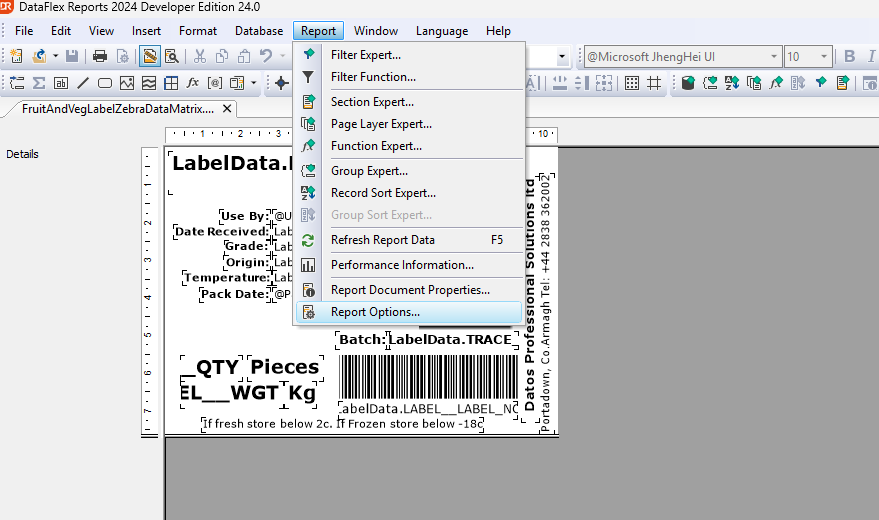
To change the size and orientation if you click on reports at the top of your screen > Report options > Label Type you will be able to view the default size
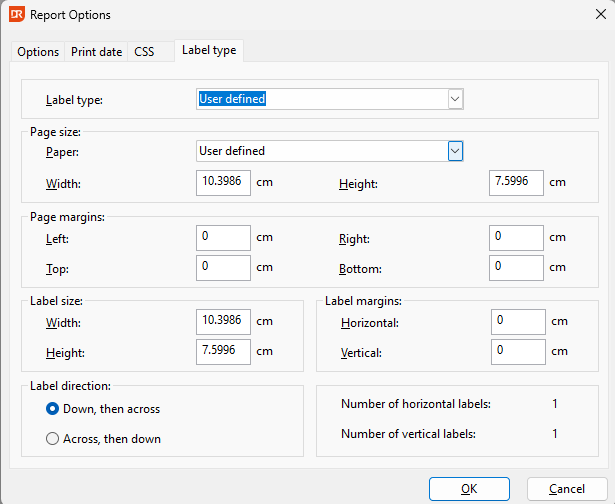
You will then set the paper width and height , this will be the page that you put in your printer an example case is you might have a page that prints multiple labels or you might just print a label on 1 sheet etc.
Data sources
Data sources on the label are needed for you to display information from season. By default you will have sources from the traceability setup but you will also have the option to add data like, customer set up information , route information , order specific information etc.
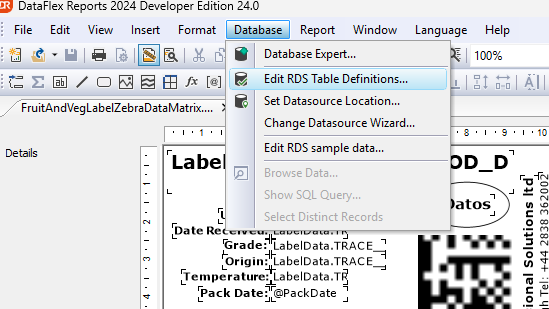
To access the source you will go to Database > Edit RDS Table Definition
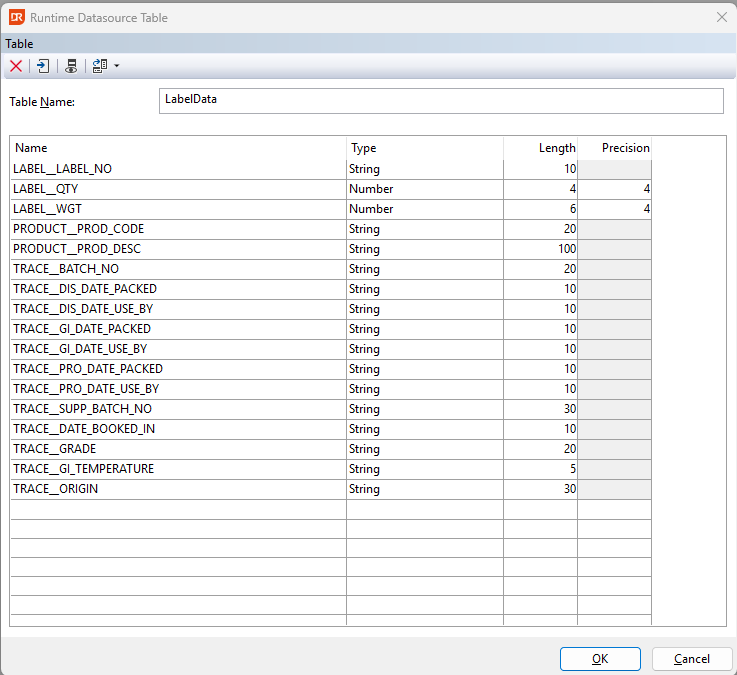
As you can see above, you will use the text ‘TRACE’ this will tell the report you are wanting the trace ability information you will then write ‘__’ and then enter in the season traceprofile. For any spaces in the name you will want to use ‘_’. If you do the same for ‘PRODUCT’ you can then use any of the fields in ‘CUSTPART’ that is relevant to the product
Inserting an Image
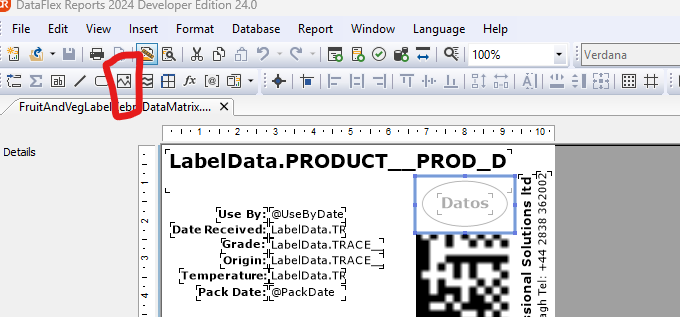
If you click on the highlighted button this will let you insert an image. This is mainly used for adding your companies logo.
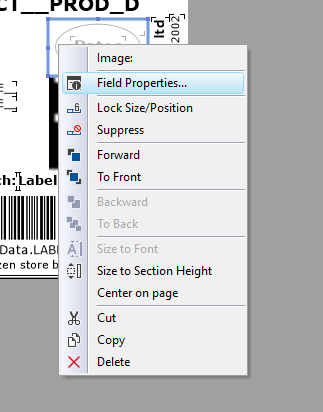
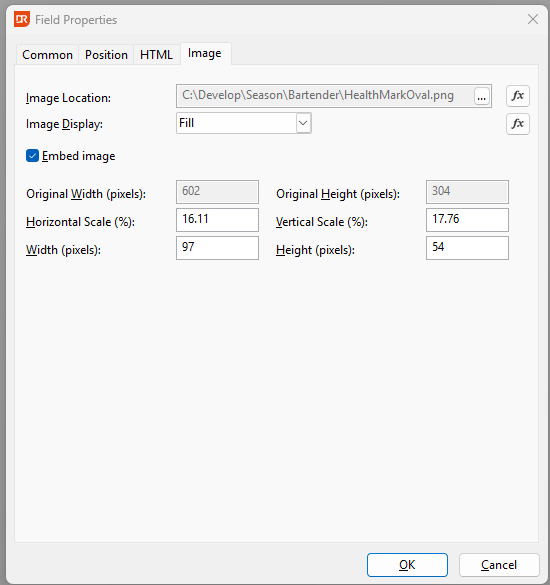
Once the image is in you will need to right click on the image and go to properties and from there you will need to enable ‘Embed Image’. this means that the image is now stuck to the label and will always print out no matter what computer does it. If you don’t embed it , in order to print out the logo the image location would need to be reachable on each machine which isn’t always going to be the case.
You can do more advanced things such as functions , this can allow you to join text , or put conditions in place for data to only come out if a condition is met .
Datos support can help with these additions but in the most case the above will put you in a position to create a basic label