Complaints
Complaints Entry
Complaints is a section on season where we can record all customer complains , along with the solution. My example below is for an order that a customer wants to complain about a product being out of date
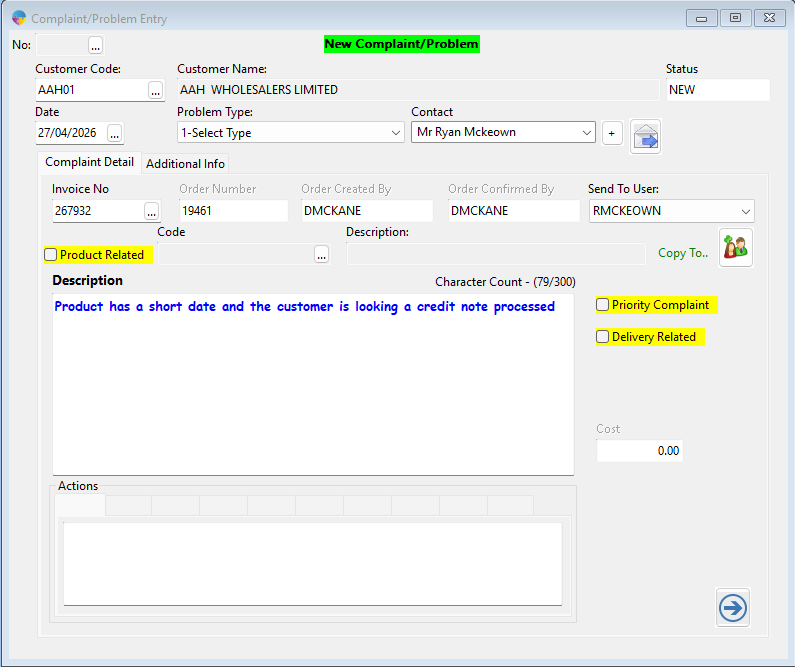
- Start by entering the customer code for who is complaining
- Date is filled in automatically but you also have the option to work back
- Problem type is a drop down to categorise the type of complaint ie, faulty product , late delivery etc
- Contact will be who has called in to report the problem, this reads who is set up as a contact under the account set up tool. You also have the option to enter a new contact using the ‘+’ button
- Under complaint detail you can either enter in a complaint that is unrelated to an invoice or you can attach an invoice that the customer is complaining about. In the below i am using invoice ‘267932’ and beside the product that is the issue i am entering the complaint message
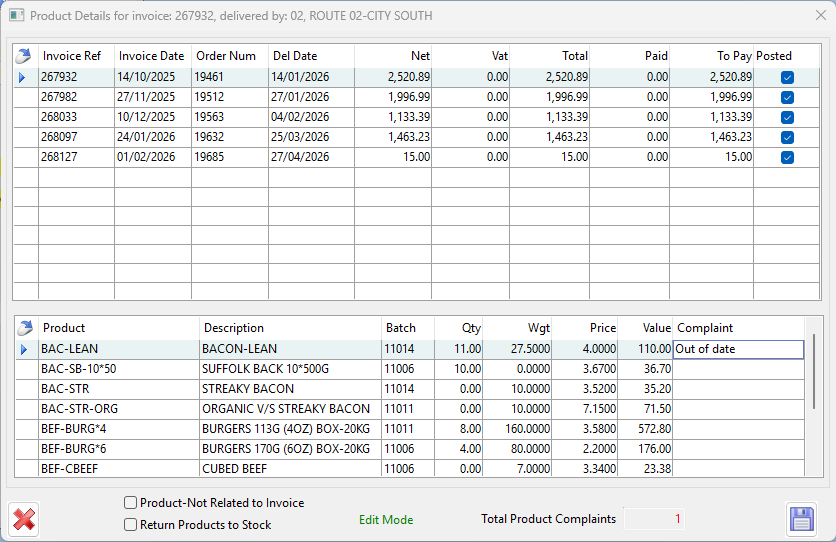
- Once your detail is entered you can either tick if the complaint is a priority , this is used if the problem is major and requires urgent attention. you can also mark if the complaint is delivery related.
- Before submitting you can choose who the complaint should be sent to, you might have different teams who deal with different types of issues , you can also copy someone in like a manger so they are kept in the loop
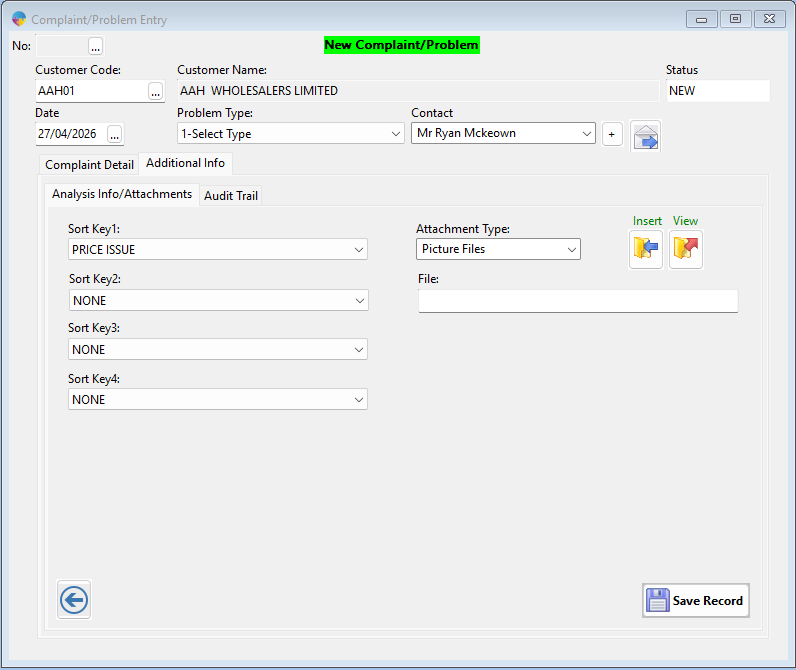
There is an additional information tab, you have the ability to add a sort key which is used for analysis so you can get better insight into what problems are occurring and you can also attach photos that the customer provides.
At the end you will save the complaint and will be given a complaint number, in this example my number is ‘123’
Viewing logged complaints
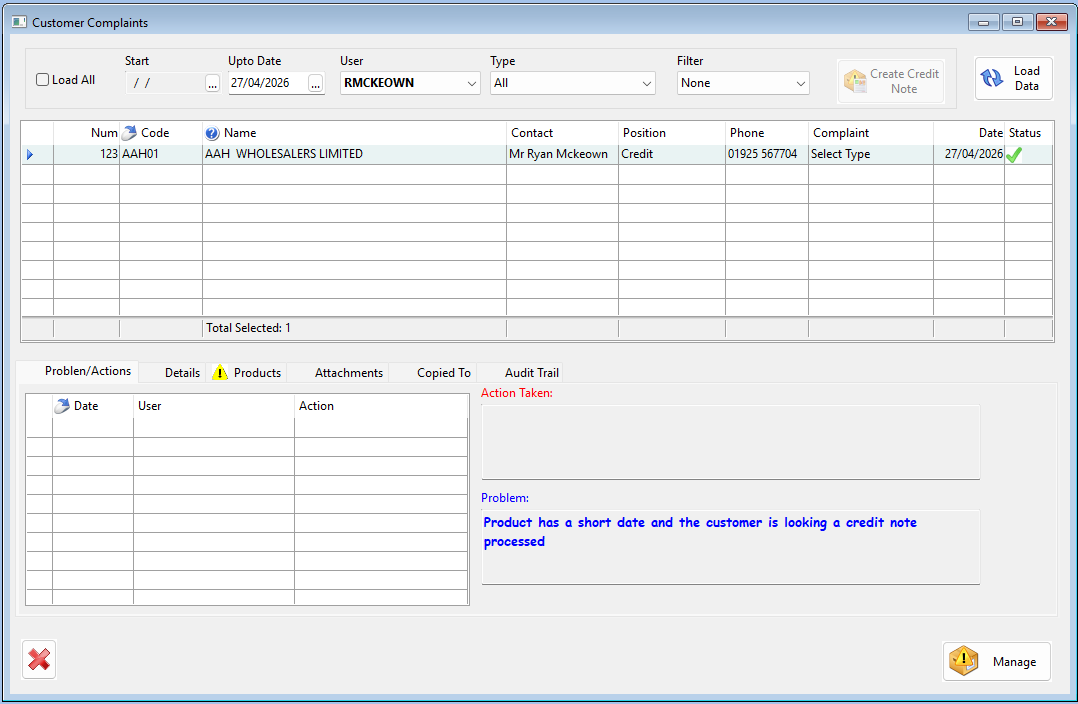
Introduced in Season Version 26.1 all complaints can be viewed from the customer complaints grid. with the grid you have the ability to filter by complaint and have a couple of different sections to work with
The first section is Problem/Action here you will see the logged problem and by clicking the manage button you can then add a solution to the problem or send it to another user to look at the problem instead
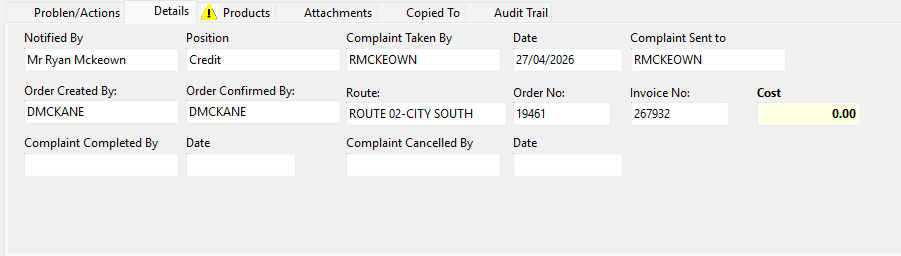
Complaint details will show you the customer that has called in about the problem and their position along with other information as who originally took the order and what route it has gone out on
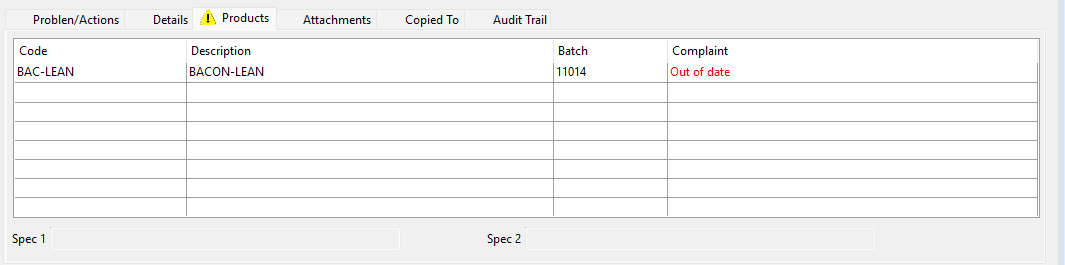
The products tab gives you a place to see the problem item

Audit trail is somewhere to see what action has been taken since the complain was logged and who has done the solution.
From the customer complaint grid you also can create credit notes for invoices that have been reported. i will attach a link below along with other useful sources